

Important Things To Know Before Using Yoast
Don’t obsess over green lights. Focus on keyword research, content quality, and improving user experience. Use Yoast for guidance, not as a strict checklist.
- Use long-tail focus keywords (3+ words).
- Place your keyword in title, URL, meta title, meta description, and early in content.
- Avoid keyword stuffing; write naturally.
- Prioritize content depth, tables of contents, images, and infographics.
1. General Settings
Configure features and webmaster tools in Yoast’s General > Features. Disable unused modules like Readability Analysis or Text Link Counter for a cleaner interface.
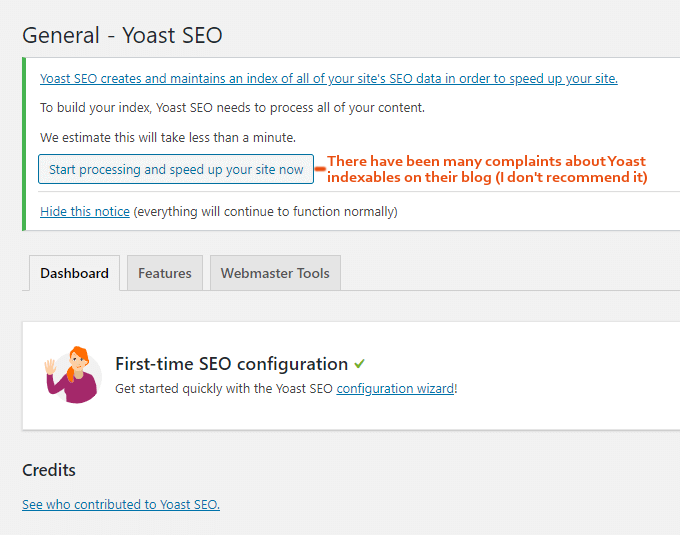
Verify Google Search Console, Bing, and Yandex under Webmaster Tools by pasting your HTML meta tag code.
2. Search Appearance
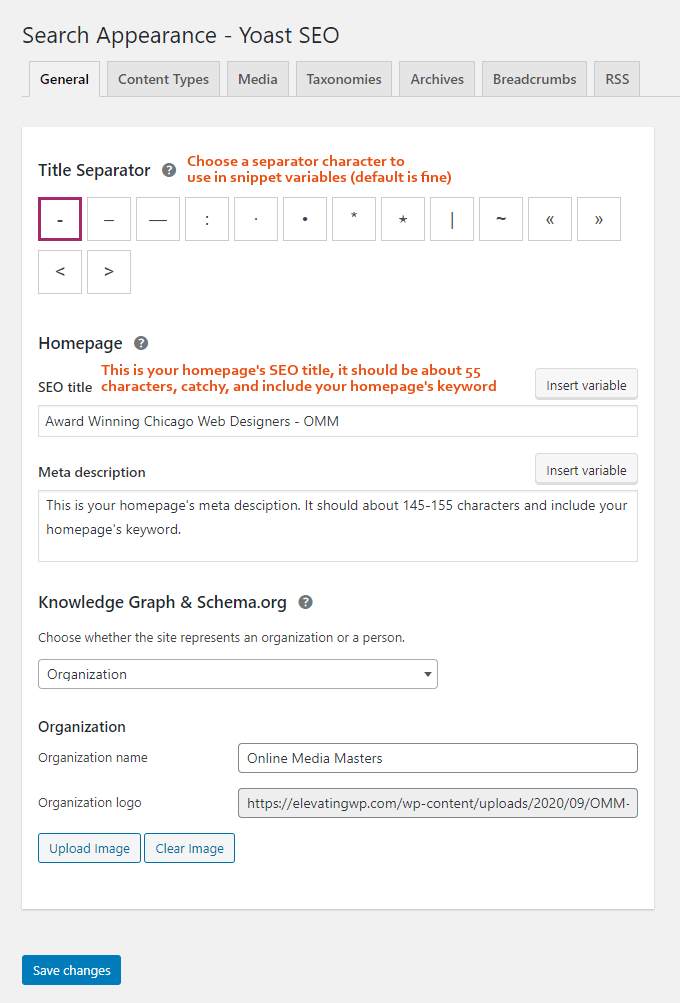
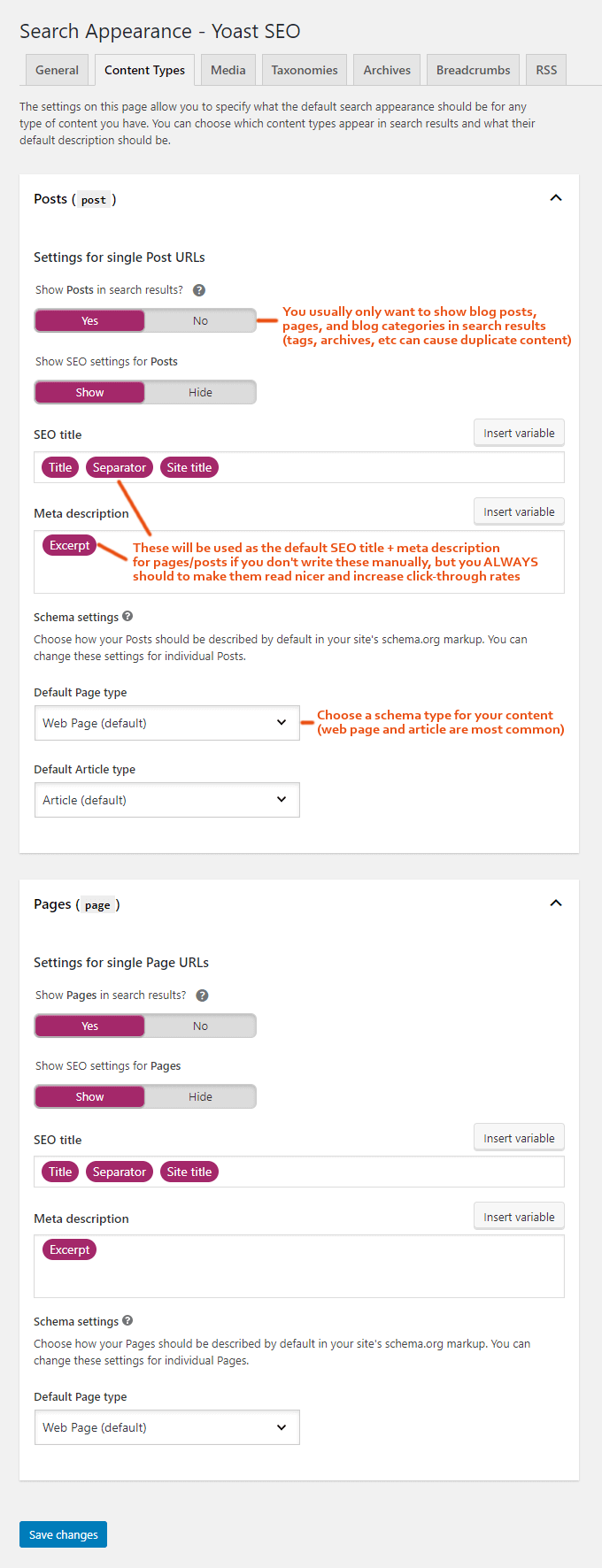
Set your title separator and manual snippets. Templates are backups only – write custom SEO titles and descriptions.
Content Types & Taxonomies
Choose which post types, taxonomies, and archives to show or hide in search results. Exclude thin or duplicate content to avoid SEO warnings.
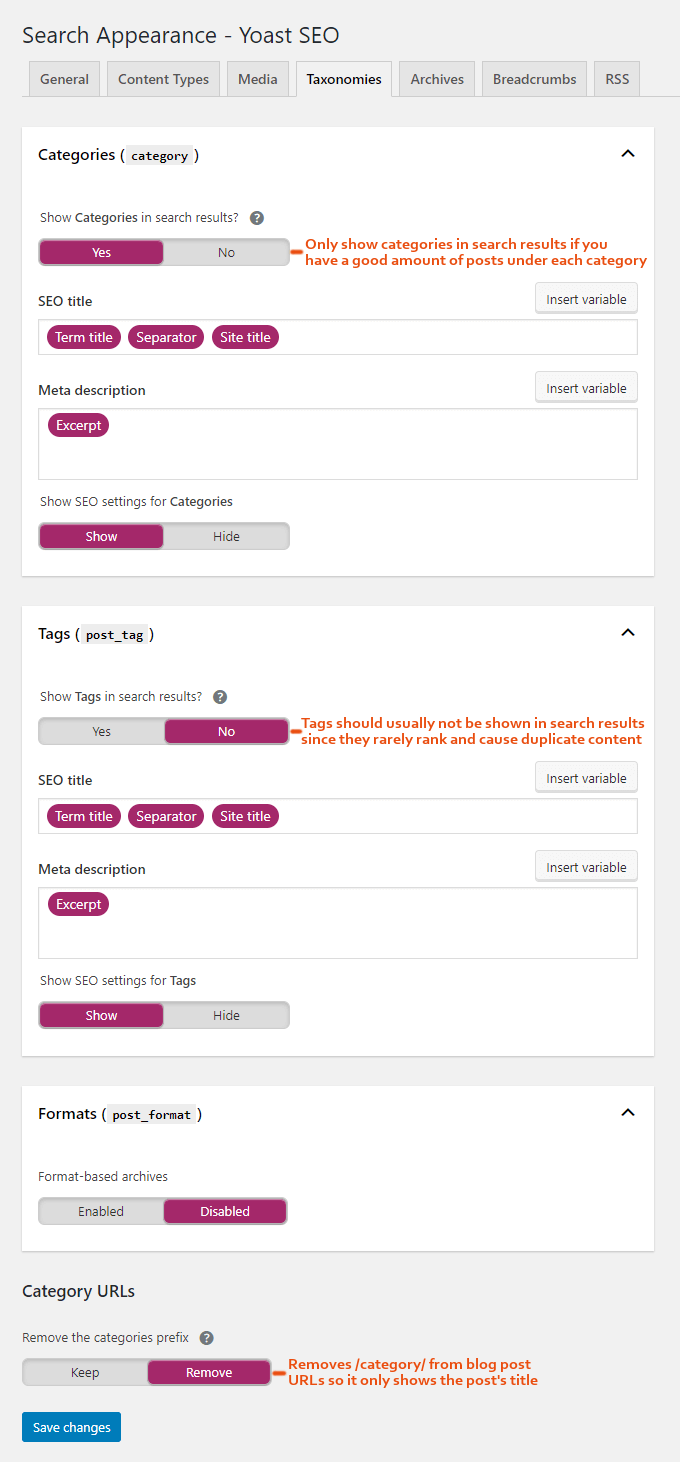
Archives & Breadcrumbs
Enable or disable author/date archives, and add breadcrumb code to your theme for improved site navigation.
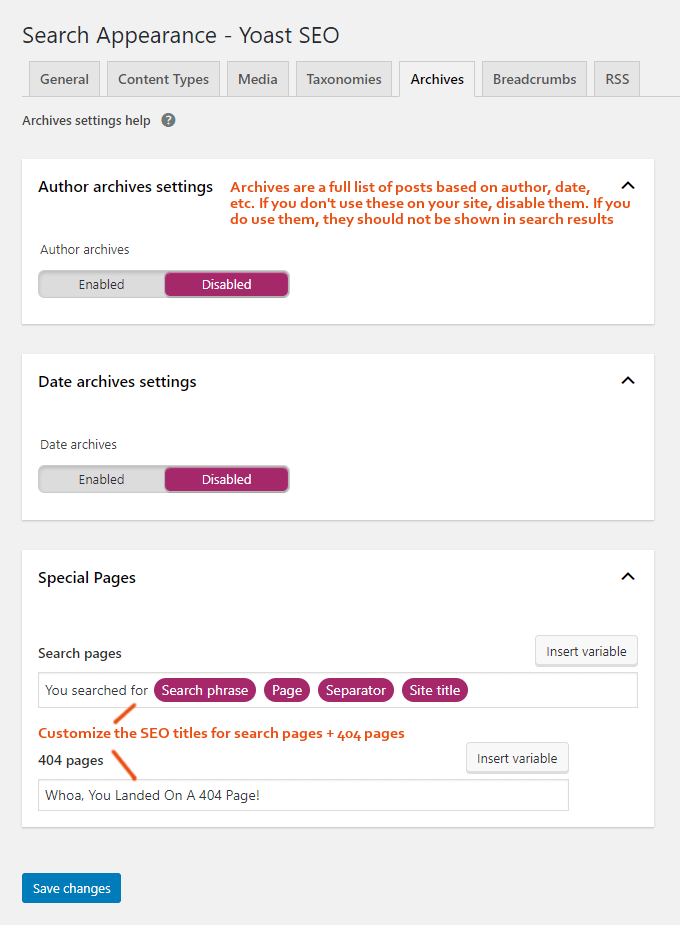
3. Social
Enter your social account URLs and enable Facebook Open Graph & Twitter Cards so you can upload custom images when sharing posts.

4. Tools
Use the Bulk Editor to update multiple SEO titles and descriptions at once. Access the File Editor to manage robots.txt and .htaccess. Import or export settings on the Import/Export tab.
5. Yoast SEO Premium
Premium adds multiple focus keywords, redirect manager, internal link suggestions, and content insights. Most features can be replicated with free plugins, so premium isn’t essential for everyone.
6. XML Sitemaps
Submit your sitemap (sitemap_index.xml) in Google Search Console > Sitemaps, and repeat for Bing & Yandex.
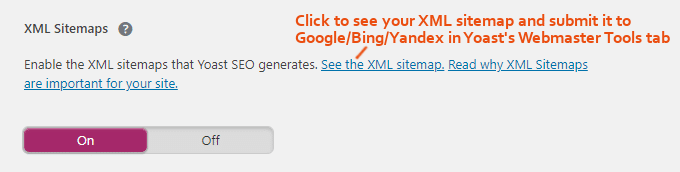
7. Focus Keyword Research
Use Google Autocomplete and Moz Keyword Explorer to build a list of long-tail keywords. Check competition with MozBar and target keywords with weak top results.
8. On-Page SEO with Yoast
Apply your focus keyword to key elements: page title, URL, meta title, description, and a few times in content. Then concentrate on content depth: infographics, videos, FAQs, and rich snippets.
9. Remove Yoast Ads
Install the Hide SEO Bloat plugin to eliminate Yoast advertisements and streamline the interface.
Frequently Asked Questions
What are the 3 main steps to using Yoast?
Configure settings, research focus keywords, and optimize content. Verifying webmaster tools is also key.
How do I choose focus keywords?
Use Google Autocomplete, Moz Keyword Explorer, and analyze competition with MozBar.
Are Yoast green lights important?
Green lights help, but content quality, user experience, and click-through rate optimization are more significant.
Conclusion
Yoast is a powerful tool when configured correctly, but real SEO success comes from thorough keyword research, high-quality content, and ongoing optimization.