

Introduction
Want to slash your WordPress load times and hit perfect GTmetrix scores? These 15 tips cover everything from choosing the right cache plugin to optimizing images and CDNs.
1. Avoid High-CPU Plugins
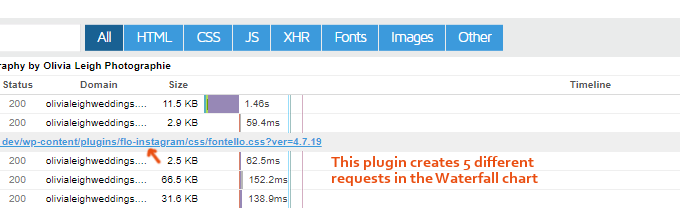
Certain plugins like social sharing, page builders and analytics can hog server resources. Replace or remove known slow plugins to lighten your site’s footprint.
2. Disable Unused Plugins Per Page
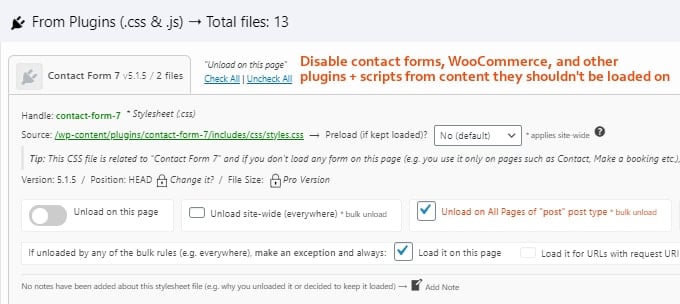
Use tools like Asset CleanUp or Perfmatters to prevent plugins and scripts from loading on pages where they aren’t needed. This reduces HTTP requests and speeds up rendering.
3. Install a Top-Rated Cache Plugin
WP Rocket consistently outperforms other cache plugins by combining database cleanup, lazy loading, local font hosting and prefetching in one package.
4. Upgrade to PHP 8.0+
Switching to a recent PHP version can make your site 2–3× faster. Most hosts let you select PHP 8.0 or newer in the control panel.
5. Optimize External Scripts
Host Google Fonts and analytics locally, lazy load embedded videos and prefetch common domains to reduce third-party latency.
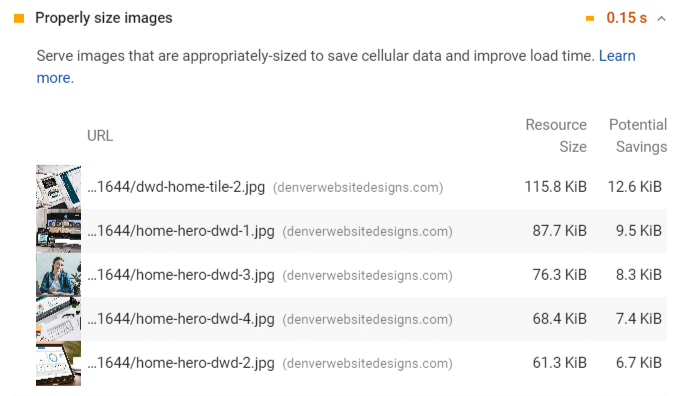
6. Serve Scaled Images
Resize images to their display dimensions before uploading. GTmetrix will flag any oversized images you need to correct.
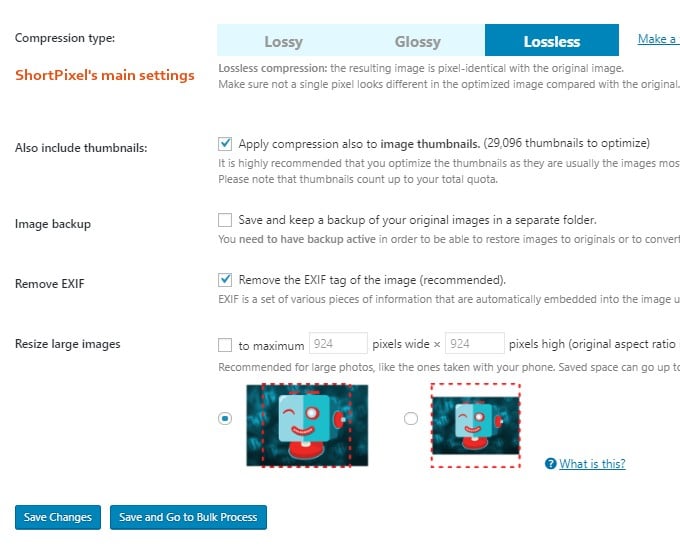
7. Compress Images
Use plugins like ShortPixel, Imagify or Smush to batch-compress images. Always test quality settings before bulk optimizing.
8. Set Up Cloudflare’s Free CDN
Cloudflare’s global network improves content delivery and security. Configure page rules, hotlink protection and disable minification if your cache plugin handles it.

9. Consider Multiple CDNs
Pair Cloudflare with a secondary CDN like StackPath or KeyCDN for even faster asset delivery and redundancy.
10. Speed Up Plugin Performance
- Remove or replace heavy plugins with lightweight alternatives.
- Disable unnecessary modules (e.g., Jetpack features).
- Monitor performance with Query Monitor and GTmetrix.
11. Limit Post Revisions & Autosaves
Configure WP_POST_REVISIONS and AUTOSAVE_INTERVAL in wp-config.php or use Perfmatters to prevent database bloat.
12. Block Spam Bots
Use Wordfence or Cloudflare Firewall Rules to block abusive bots that hammer your site and waste resources.
13. Reduce Server Response Time (<200 ms)
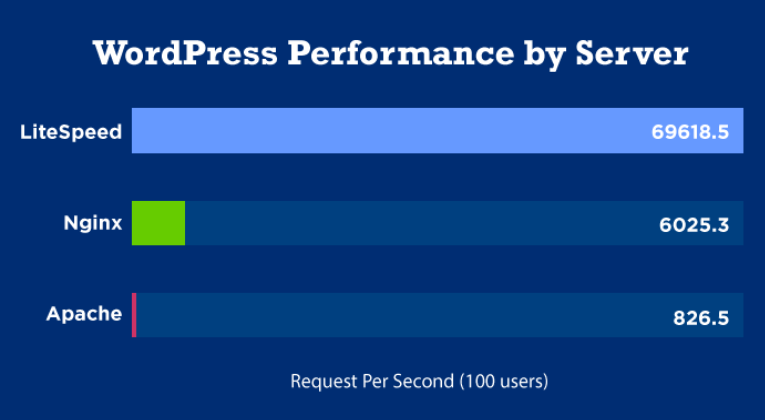
Choose hosts with NVMe storage, LiteSpeed or Cloudflare Enterprise. Options like NameHero, Cloudways Vultr HF or Rocket.net deliver fast TTFB worldwide.
14. Disable WooCommerce Assets on Non-Shop Pages
Prevent WooCommerce scripts, styles and cart fragments from loading on non-ecommerce pages using Perfmatters or custom code snippets.
15. Get Feedback in Facebook Groups
Share your GTmetrix report in communities like WordPress Speed Up or WP Speed Matters for optimization tips and peer reviews.
Implement these techniques to lower load times, improve Core Web Vitals and deliver a faster user experience.