

Discover the essential WordPress plugins that will help you design, optimize, and add powerful features to your site. Below are the top 10 plugins, complete with resource links and ratings.

Check out the full infographic:

1. Yoast SEO

Yoast SEO is a comprehensive SEO plugin that guides you through configuring settings, researching focus keywords, and optimizing content for better search rankings. It also supports XML sitemaps, social media integration, and more.
- Free and premium versions
- Extensive SEO settings and content checklist
- Focus keyword optimization and social previews
- XML sitemap and webmaster tools verification
2. Google Analytics

The Google Analytics plugin helps you add tracking code or UA code verification to your site. Filter out internal traffic and use custom dashboards to segment data and improve your site and SEO based on insights.
- Free universal and asynchronous tracking
- Demographic and interest reports
- 404 and search results tracking
- Basic dashboard metrics in WordPress
3. W3 Total Cache

W3 Total Cache speeds up your site by enabling caching, minification, gzip compression, and CDN integration. Use GTmetrix to identify caching opportunities and follow best-practice settings to boost performance.
- Free caching, minify, and gzip features
- CDN and Cloudflare integration
- Customizable performance settings
4. Gravity Forms

Gravity Forms is an advanced form builder with conditional logic, spam protection, and add-ons. From simple contact forms to complex multi-step applications, it adapts to your design and functional needs. Premium, starting at $49.
- Highly customizable and responsive forms
- Conditional logic and spam protection
- Premium add-ons for enhanced functionality
5. Widget Logic

Widget Logic lets you control where widgets appear by using WordPress conditional tags. Show or hide widgets on specific pages, posts, categories, or custom taxonomies, giving you precise display control.
- Free plugin with powerful display rules
- Uses WordPress conditional tags for control
- Lightweight and easy to use
6. iThemes Security

iThemes Security protects your site with over 30 security measures, including brute force protection, password reinforcement, hidden admin URLs, and file change detection. It also offers email notifications and database backups.
- Free and premium versions
- Brute force protection and login security
- File change detection and database backups
- 404 logging and email alerts
7. Fancier Author Box

Fancier Author Box adds a customizable author bio below each post, displaying the author’s photo, name, and bio. Perfect for adding a personal touch and building credibility on your blog. Free and premium options available.
- Customizable author profiles
- Supports social links and styling
- Enhances author visibility and branding
8. Quick Page/Post Redirect

Redirect old URLs to new ones after permalink changes or site migrations by setting up 301 redirects. Use Quick Page/Post Redirects to manage redirects easily and fix broken links found in Google Search Console.
- Free plugin for 301 redirects
- Simple interface for old and new URLs
- Helps maintain SEO after structure changes
9. Broken Link Checker

Broken Link Checker scans your site for broken links and missing images. Review and fix errors from the plugin’s dashboard. It’s free but should be deactivated when not in use to avoid performance impact.
- Free link and image error detection
- Dashboard warnings for broken URLs
- Option to remove links or update URLs directly
10. UpdraftPlus Backup
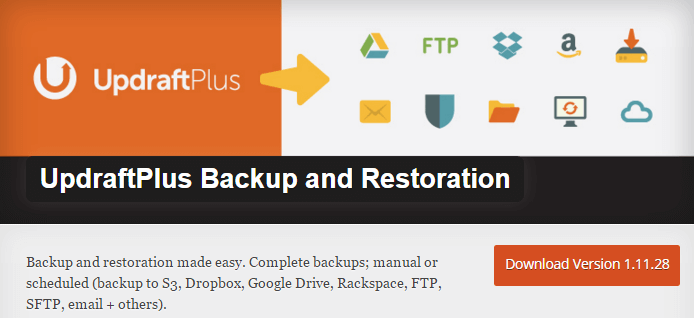
UpdraftPlus automates backups of your WordPress files and database to remote storage like Dropbox, Google Drive, or Amazon S3. Schedule backups weekly or monthly and restore with one click. Free core plugin.
- Free and premium versions
- Supports multiple remote storage options
- Scheduled automatic backups and easy restore
Hope you found this list of essential plugins helpful! Have questions? Leave a comment.
Cheers,
