


Introduction
If you’re thinking about using the WP Rich Snippets plugin, beware: the developer disappeared years ago and the plugin no longer works with modern PHP versions. In this review we’ll cover what WP Rich Snippets offered, why it’s now obsolete, and which alternative you should switch to.

Rich snippets add extra detail—star ratings, videos, recipe information—to your search results, boosting click-through rates. Unfortunately, a plugin that once handled schema markup beautifully is now unmaintained and incompatible with PHP 7.1+.
UPDATE
The WP Rich Snippets plugin hasn’t been updated for over two years and fails with current PHP versions. I’ve moved to WP Review by MyThemeShop—it offers pre-styled templates, supports all data types, and includes reliable updates and support.
Supported Data Types
WP Rich Snippets supported most schema types, except for events. If your content is one of the following types, this plugin could handle it (when it was maintained):
- Article
- Recipe
- Review
- Product
- Organization
- Restaurant
- Software Application
How the Markup Looks
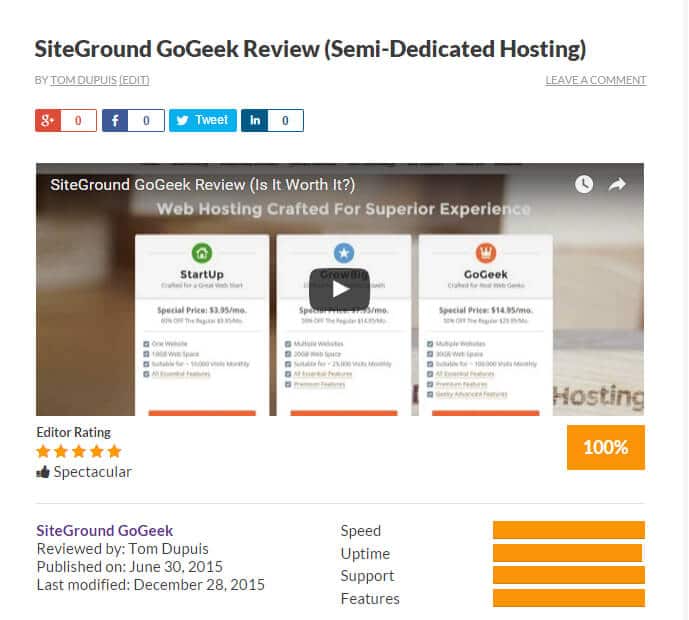
The design depended on your chosen data type, plugin settings, and any purchased add-ons. Below is an example of a review snippet with video, criteria, and core fields. WP Rich Snippets once offered a flexible, branded look.
Installation
When it was active, installation required:
- Purchasing a WP Rich Snippets license and any desired add-ons
- Downloading the plugin files from your account page
- Uploading and activating in WordPress under Plugins → Add New → Upload Plugin
- Entering your license key on the plugin settings page

Configuring Settings
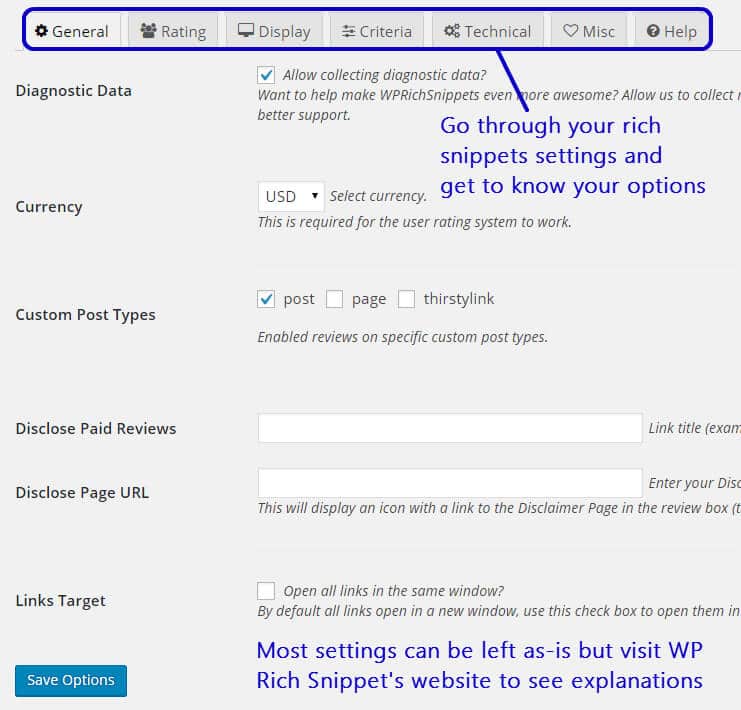
Most options were preconfigured. You could choose where to display the snippet box (above or below content) and adjust labeling, author names, video embeds, and other visual criteria on the Display tab.
Writing Your First Rich Snippet Post
In your post editor, you selected the Schema type, filled out the main, details, price, hours, and link tabs, then saved. The plugin generated the JSON-LD and front-end markup automatically.
Testing with Google Structured Data Testing Tool
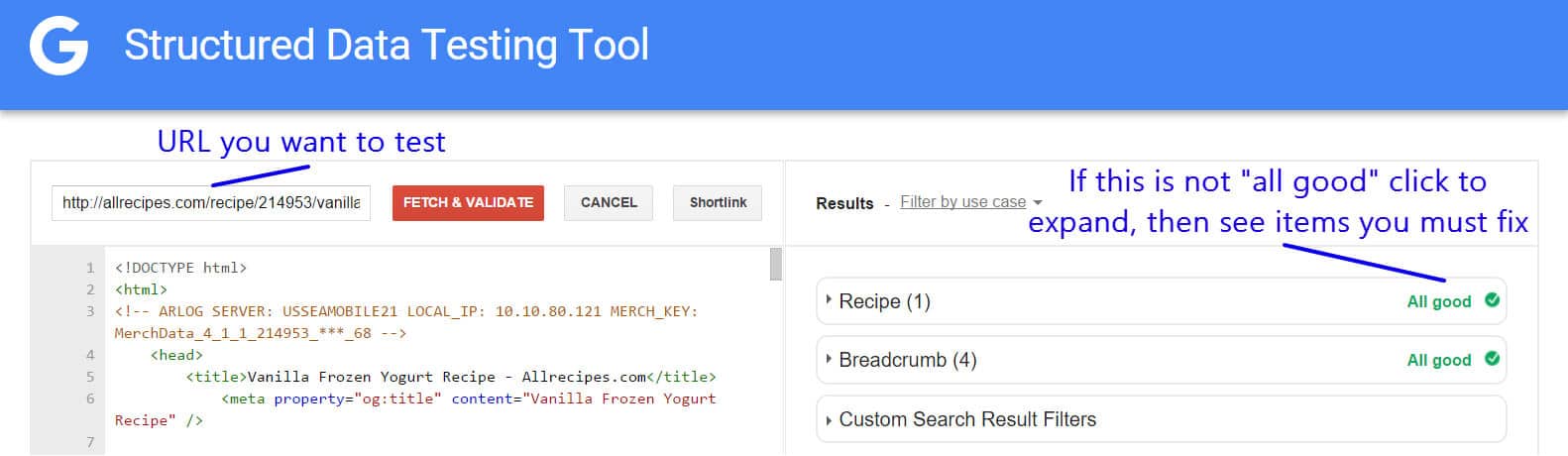
After publishing, you pasted your page URL into Google’s Structured Data Testing Tool. With all required fields filled, you would see no errors or warnings.
Add-Ons
WP Rich Snippets once offered a suite of add-ons to extend functionality:
- Customizer – change colors, fonts, buttons
- Call-to-Action – multiple demo or purchase buttons
- Front-End Entry Submit – allow user reviews
- Location – display Google Maps for businesses
- Ranking Table – build sortable comparison tables
- Box Shortcode – insert snippets anywhere in content
- …and more
Today, these add-ons no longer receive updates, leaving your site vulnerable to errors and security issues.
In summary, WP Rich Snippets was a powerful schema plugin but is now abandoned. I recommend switching to a maintained solution like WP Review by MyThemeShop for reliable schema markup, modern designs, and ongoing support.