


Why Preloading LCP Images Matters
Preloading your Largest Contentful Paint (LCP) images marks them as high priority, ensuring they load immediately rather than being delayed by lazy loading. This step prevents PageSpeed Insights from flagging your LCP image as “lazily loaded,” which can harm your Core Web Vitals score.
1. Preload Critical Images with Perfmatters or FlyingPress
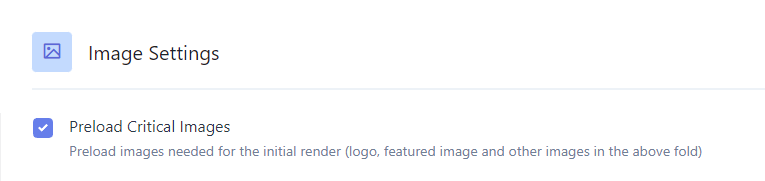
Perfmatters and FlyingPress let you preload a set number of above-the-fold images automatically. Simply count how many images appear in the initial viewport—usually 2–3—and enter that number in the plugin settings. The selected images will be preloaded and excluded from lazy loading.

2. Use Plugins to Preload LCP Images
If your caching plugin doesn’t support image preloading, consider these options:
- Preload Featured Images – Automatically preloads featured images on supported themes like GeneratePress, Astra, Divi, and OceanWP.
- Preload LCP Image – Adds a custom field to pages and posts where you can specify the image URL to preload.
- LCP Booster for WooCommerce – Preloads the main product image in WooCommerce stores.


3. Manual Preloading
If you prefer manual control, add preload hints directly in your theme’s
section like this:<link rel=”preload” href=”/path/to/image.png” as=”image”>

4. Exclude Above-the-Fold Images from Lazy Load
After preloading, ensure these critical images aren’t still lazy loaded:
- WP Rocket – Use a helper snippet to exclude the first X images by attribute.
- LiteSpeed Cache – Enable “Viewport Images” in QUIC.cloud settings to auto-detect and exclude above-the-fold images.
- Optimole – Exclude the first few images from lazy loading and benefit from AVIF support and image resizing.


5. Verify with a Waterfall Chart
Use tools like GTmetrix or WebPageTest to examine waterfall charts before and after preloading. You should see faster image responses and an improved LCP metric.

Conclusion
Properly preloading and excluding key images from lazy loading is a simple yet powerful way to boost your WordPress site’s LCP and overall performance. Follow these steps to satisfy Core Web Vitals and deliver a faster user experience.