

Internal links play a vital role in SEO and user experience, but relying on automatic WordPress internal linking plugins can do more harm than good. These tools promise convenience, but their drawbacks often outweigh the benefits.
Repetitive Anchor Text
Automatic plugins typically insert the same keyword-rich anchor text every time a term appears on your site. This leads to repetitive and unnatural anchors that can look spammy to search engines. Since Google’s Penguin update, maintaining diverse and descriptive anchor text is crucial to avoid penalties.
Lack of Context and Personalization
Every internal link should serve the reader’s needs and fit the context of your content. Automatic linking ignores context, forcing the same link target for every mention of a keyword. Manual linking allows you to choose the most relevant page and customize the link to match the specific discussion.
Slower Page Load Times
Even lightweight WordPress plugins add extra processing and database queries, increasing CPU usage and slowing down your site. A faster site not only improves user experience but also supports better SEO performance.
Spend an Extra 2 Minutes Adding Links Manually
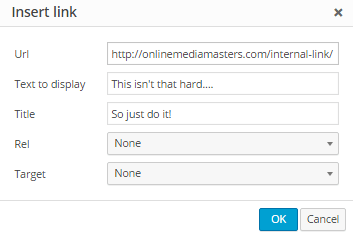
Automatic internal linking plugins are a shortcut, but shortcuts often come with trade-offs. Instead of automating your link strategy, take two extra minutes to add links manually. This small investment ensures relevance, diversity, and a better experience for your readers.
Internal Linking Best Practices
- Link to clarify topics that benefit from additional detail
- Use custom, descriptive link titles (hover text)
- Include relevant external links when appropriate
- Add a resources list at the end of in-depth articles
- Open external links in new tabs to keep users on your site
By manually crafting your internal links, you maintain control, improve SEO, and deliver a more tailored experience for your audience.